# How to Create a Terrace Account

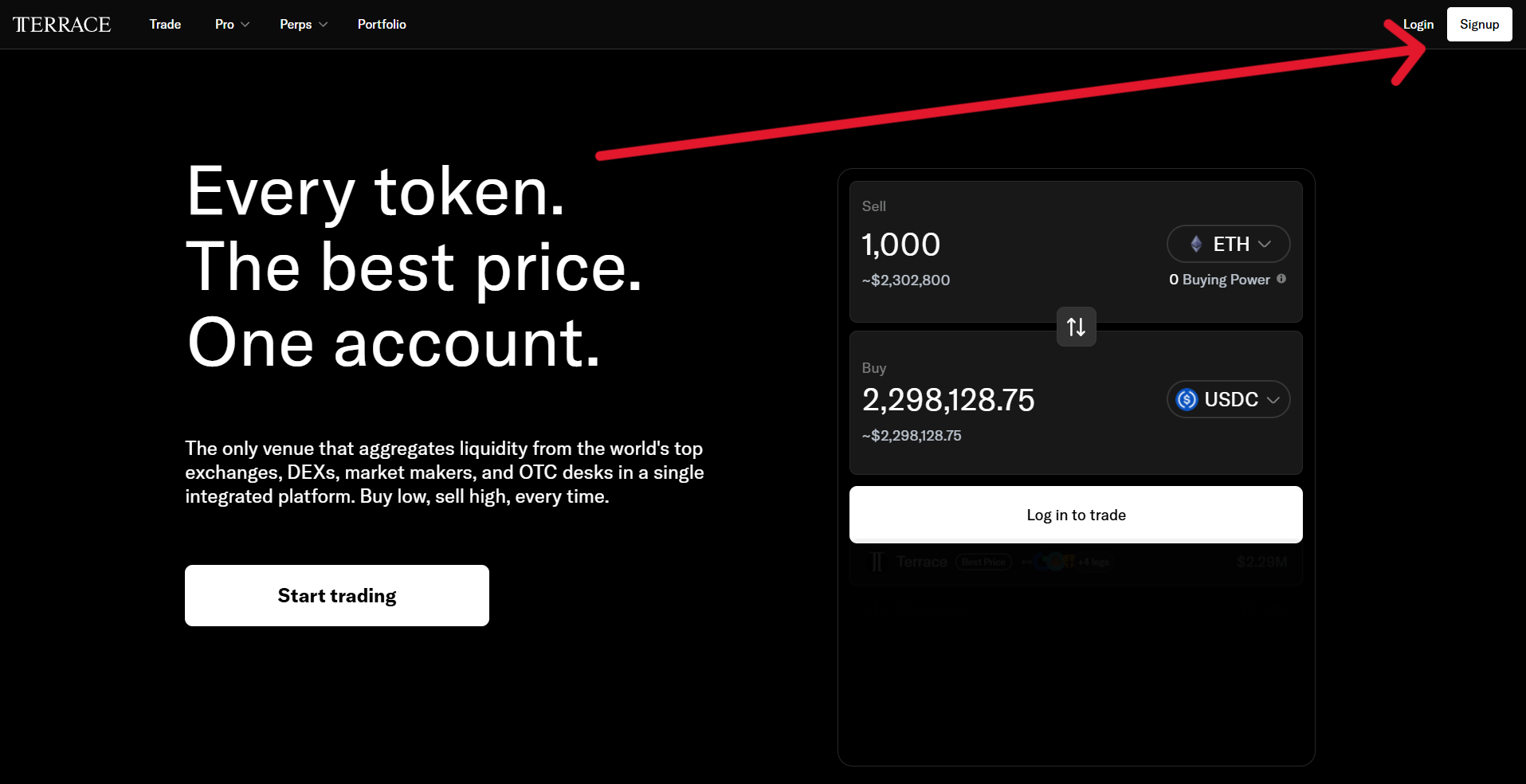
1. Navigate to <https://app.terrace.fi/>.
2. Click the signup button in the upper right hand corner.

<figure><img src="/files/gXNZ43lR6ks6wTy6CfJi" alt=""><figcaption></figcaption></figure>

3. Enter into the blank fields an email address, referral code, password, and password confirmation.

<figure><img src="/files/sM4AUkR8N28PJxOjVCxo" alt=""><figcaption></figcaption></figure>

4. You will be asked to provide information about whether you are an accredited investor and select your preferred trading style.

<div><figure><img src="/files/UxI7PlZz0APtcq3QqDC7" alt=""><figcaption></figcaption></figure> <figure><img src="/files/nUxGZgeaCovgjBAWFK4V" alt=""><figcaption></figcaption></figure></div>

You must [verify your identity](/how-to-guides/how-to-verify-your-identity-kyc.md) in order to unlock full trading features on Terrace.

---

# Agent Instructions: Querying This Documentation

If you need additional information that is not directly available in this page, you can query the documentation dynamically by asking a question.

Perform an HTTP GET request on the current page URL with the `ask` query parameter:

```
GET https://docs.terrace.fi/how-to-guides/how-to-create-a-terrace-account.md?ask=<question>
```

The question should be specific, self-contained, and written in natural language.
The response will contain a direct answer to the question and relevant excerpts and sources from the documentation.

Use this mechanism when the answer is not explicitly present in the current page, you need clarification or additional context, or you want to retrieve related documentation sections.
